


Record video tutorials in the easiest way possible
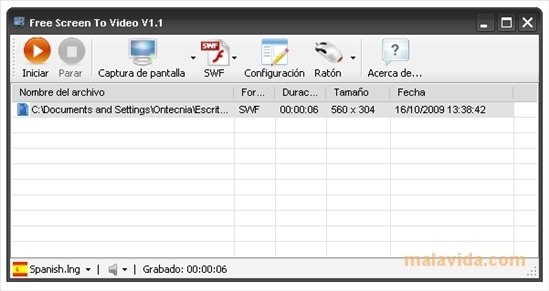
Video tutorials are one of the easiest ways to teach and learn anything that has to be done on a computer, from an application to how a product is designed. There are various applications to record everything that is happening on the screen or part of it, but Free Screen to Video is one of the easiest to use.
Record everything that happens on your PC's screen
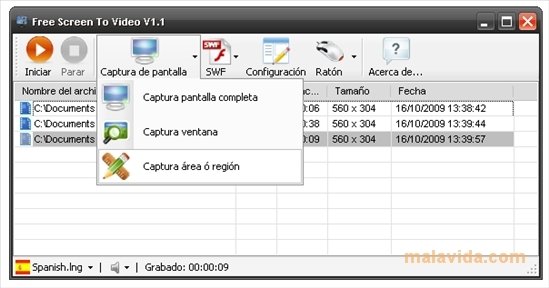
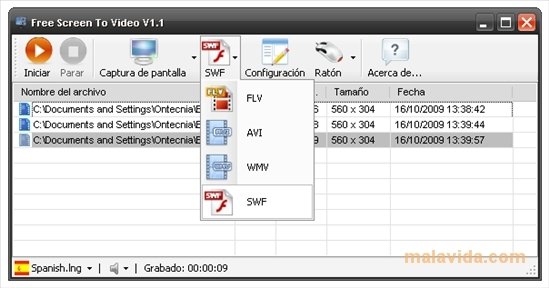
Free Screen to Video allows the user to decide if he/she wants to record the full screen, only an area or the active window, allowing total freedom to show what is needed. Furthermore, each video can be saved in several formats: FLW or SWF if it's going to be uploaded to the Internet, and AVI or WMV that offer more quality but occupy more space.
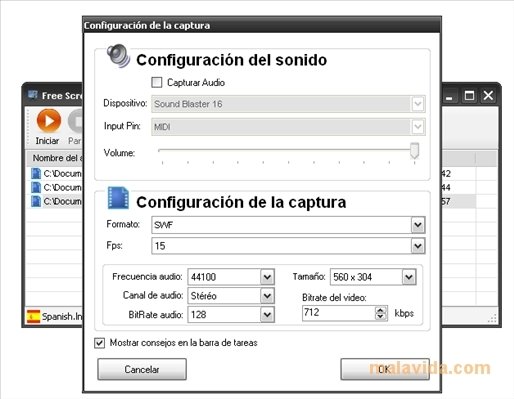
Once opened, Free Screen to Video allows us to configure what we want to record and the format, and once we start recording it minimizes to the system tray waiting for the user to finish the recording with F10 or pause it with F9.
Another option that the application includes is to record that audio feed from a microphone so that the user can input oral instructions or descriptions to the video.
 Héctor Hernández
As a technology journalist with over 12 years of experience in the world of software and apps, I have had the opportunity to try all kinds of devices and operating systems over the years. I have done from software or mobile applications reviews...

Antony Peel